New Layout Tools

Rikin Diwan•CEO, Popform•
Quick note -- Thanks to The Kindly Craftsman who messaged us on Friday and inspired this update!
We think Popform's editor is the slickest one available but we knew we could make it even better. So today, just 4 days after receiving that message, we're rolling out new improvements for all users to the PDF editor experience. This is going to help make all your documents look great and have a more pleasing and consistent filling experience.
 New layout tools
Alignment Guides
Inspired by tools like Figma, now when you move or resize a field, an alignment guide will show up making it easier to perfectly place each new field.
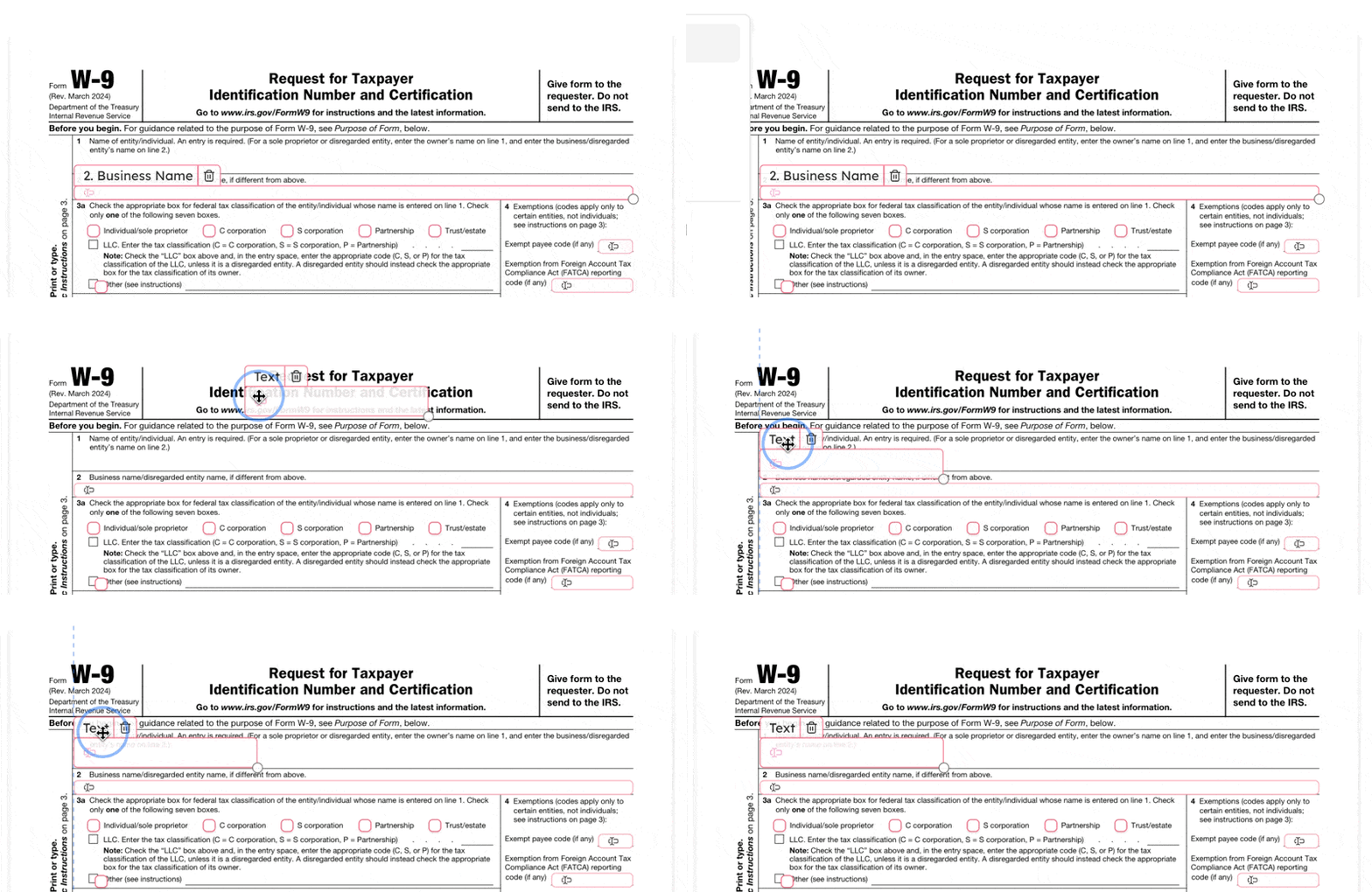 Alignment guides in action
The Layout Toolbar
We're introducing a new toolbar and it's called... the Layout Toolbar. The Layout Toolbar includes three distinct toolsets that will make placement and sizing of fields simpler and more beautiful.
To see the Layout Toolbar you must first select multiple fields at once. To do this simply drag your mouse and highlight any field or hold down the Command Key and click the fields you want to select at once.
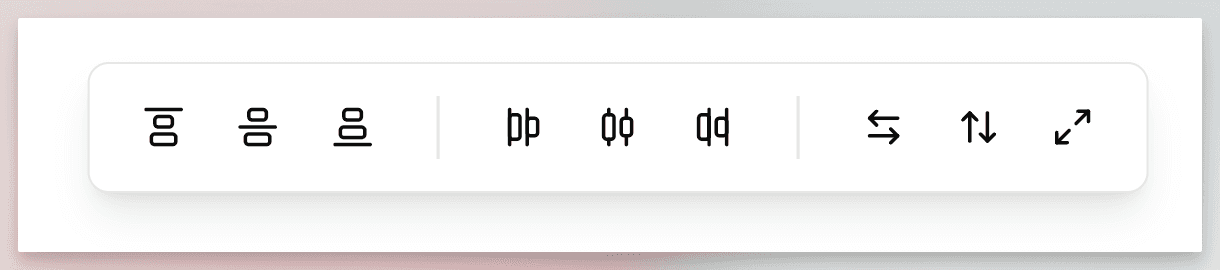 The layout toolbar
- Vertical Alignment -- On the left side of the toolbar, align fields vertically by Top, Middle, or Bottom. Perfect for any row of fields like a group of checkboxes or radio buttons.
- Horizontal Alignment -- In the middle of the toolbar, align fields to Left, Center, or Right edges.
- Auto-Resize -- On the right side of the toolbar, select at least two fields and match the width, height, or width and height at once to create perfectly sized fields. Auto-resize matches the dimension of whichever field is larger.
Multi-Select
To create the features above we also had to work on multi-select which not only allows you to select multiple fields at once but also assign properties across multiple fields at once.
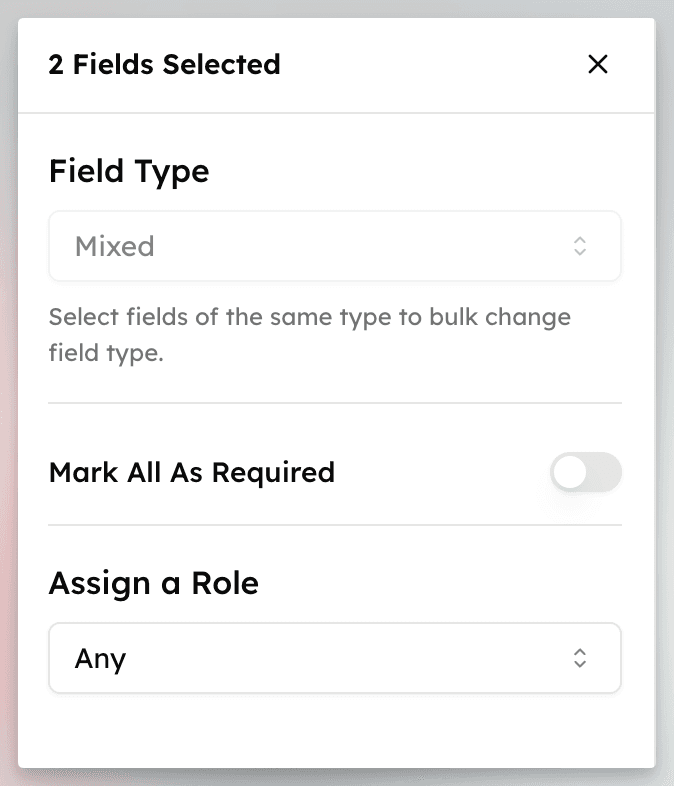 Multi-select capabilities
When multiple fields are selected (drag to select or hold Command and select) you can batch update their:
- Field Type
- Required (Yes/No)
- Field Assignment (Any, Admin, Recipient)
Also, you can move multiple fields at once or press Delete/Backspace to delete multiple fields at once.