Self-Fill & Bulk Requests

Rikin Diwan•CEO, Popform•
Two of our most-requested features just shipped: filling out a document just for yourself, and sending one document to a whole list of people at once.
Self-Fill
Popform was built around one job -- set up a document, send it out, and collect information and signatures from other people. Then one day someone mentioned they needed to set up a W-9 and fill it out for themselves -- not someone else.
Now you can.
When you upload a document, you'll choose between three options:
- Fill it out myself
- Send to someone else
- Create a template
It still defaults to "Send to someone else," but anytime you have a document you just need to complete and then share, you can do it in seconds -- and it saves straight to your Completed Documents.
Single-player mode: unlocked.
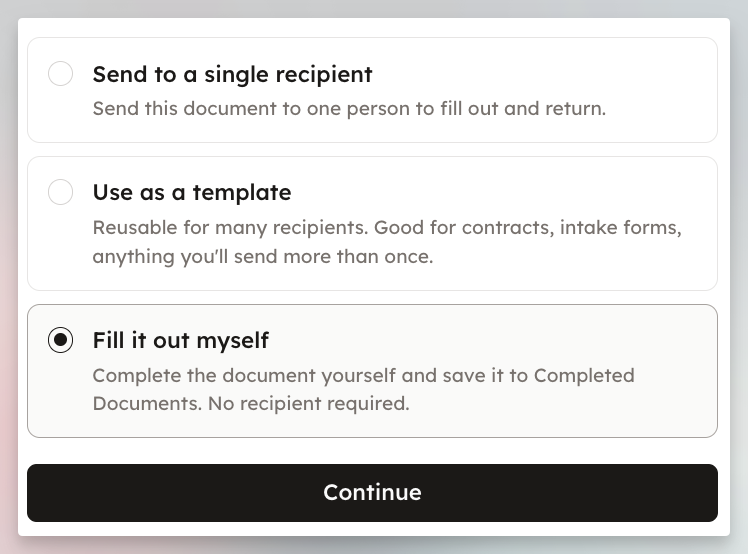 Choose how to use a document on upload
Bulk Requests
On the opposite end of the spectrum: when you need to send the same document to a lot of people, you no longer have to create requests one at a time.
Toggle on Bulk Request, paste a list of up to 20 emails, and send. Each one generates a unique request that's still e-sign and UETA compliant.
Time saved.
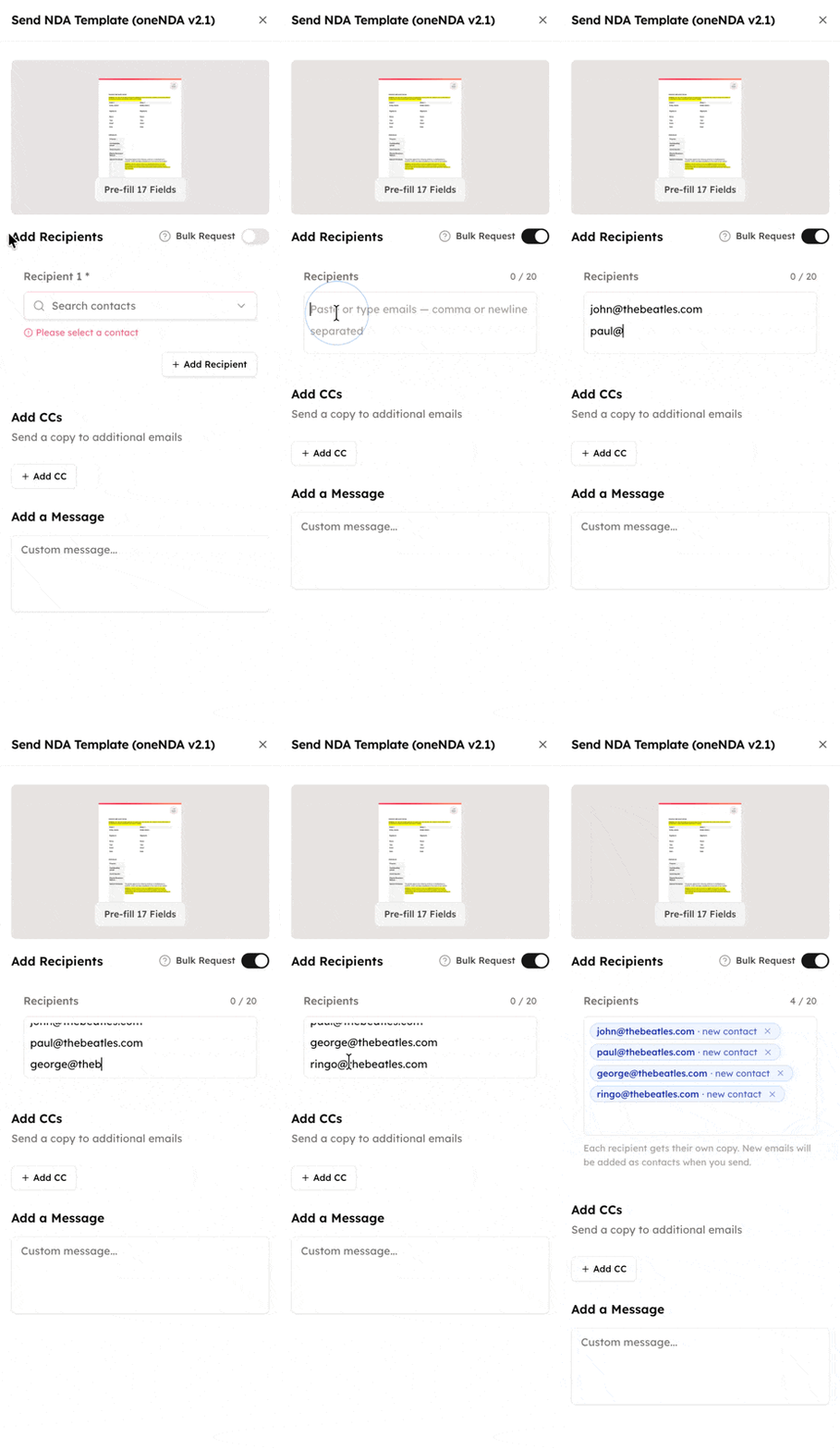 Toggle Bulk Request and paste up to 20 emails